Automation
I help businesses streamline repetitive processes and save time through custom automation solutions. Whether it’s automating data workflows, reporting, or operational tasks, I use tools like Python and SQL to create reliable, efficient, and personalized automation systems that fit your exact needs. By reducing manual work, increasing accuracy, and speeding up processes, my automation solutions free you to focus on what matters most: growing your business.
What Tasks Are Worth Automating?
Automation makes the most sense for tasks that are repetitive, rule-based, time-consuming, and performed the same way over and over.
Good candidates for automation can include moving information between systems, organizing files, updating records, generating recurring reports, sending reminders, processing form submissions, and handling other repetitive administrative work.
What Should Not Be Automated?
Not every task should be automated.
Tasks that require judgment, creativity, sensitive customer conversations, complex decision-making, or frequent exceptions may still need a human involved.
The goal is not to automate everything. The goal is to remove repetitive work where automation actually saves time and makes the process more reliable.
What Affects Automation Pricing?
Automation projects with Apps by Ashlee pricing range from $100-$400. More complex automation projects depends on how many steps are involved, how many tools or systems need to connect, how complex the business rules are, and how much testing is required.
View Automation PricingWhat Can Be Automated?
What Happens If an Automation Breaks?
Automations can sometimes stop working when a connected service changes, an API is updated, login credentials expire, or a business process changes.
If an automation I built stops working because of an issue with the workflow itself, I can review the problem, identify what changed, and update the automation as needed.
If the issue is caused by a major change to a third-party service or requires new functionality, additional development may be needed depending on the scope of the change.
How Much Time Can Automation Actually Save?
The amount of time saved depends on how often the task is performed and how long it currently takes to complete manually.
For example, a task that takes 15 minutes and happens four times a day uses about five hours every workweek. Automating most of that process could give those hours back to the business for work that actually needs human attention.
Smaller automations may save a few hours each month, while workflows used every day can potentially save several hours each week. The biggest benefit is usually not just speed - it is reducing repetitive work and creating a more consistent process.
Real-World Automation Example
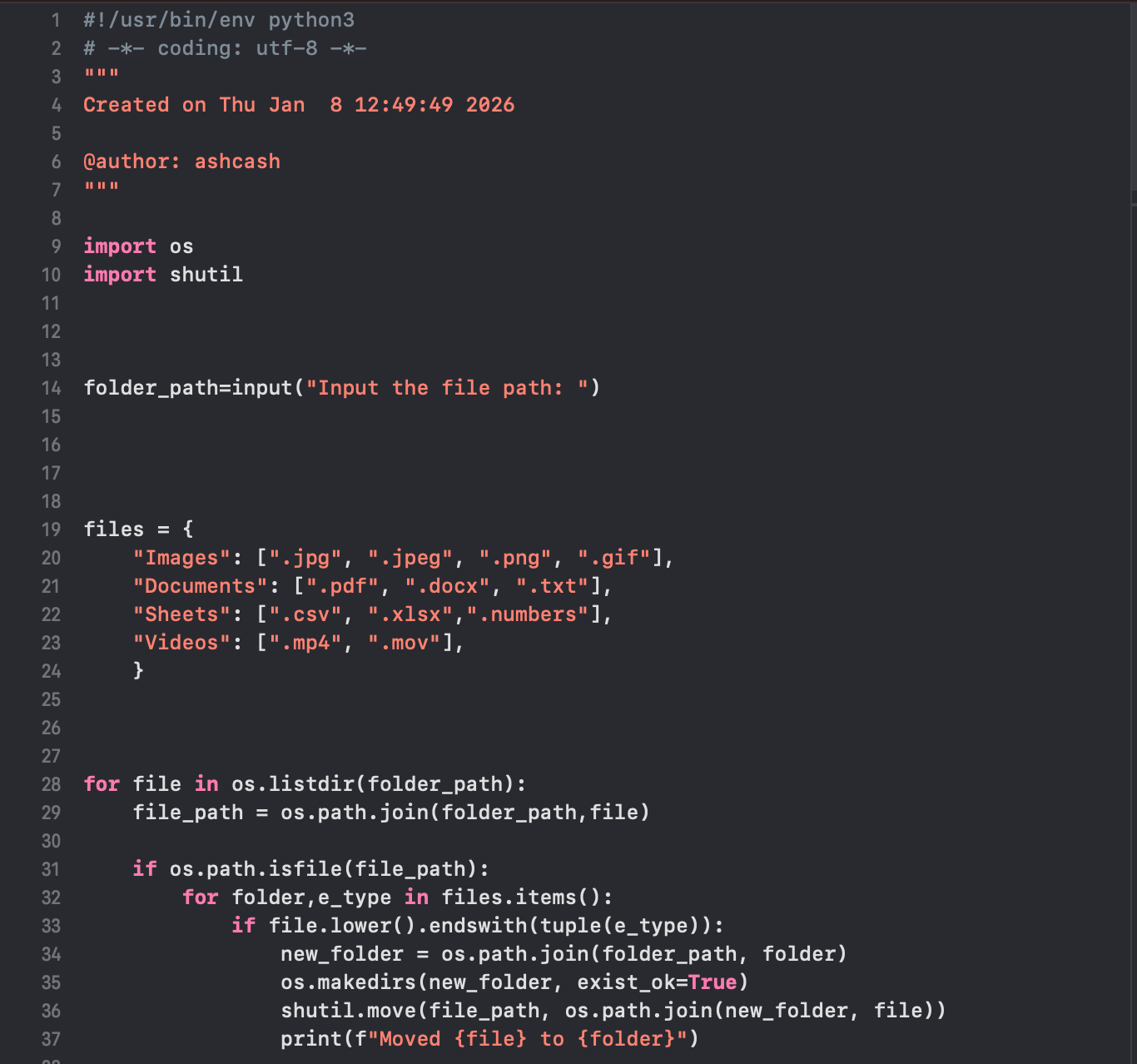
Automatically organizes files in a chosen folder by type — like images, documents, spreadsheets, and videos — so your downloads stay neat without any manual sorting.